Omni AI Workspace
Omni AI Workspace
ChatGPT, Claude, and Gemini on one screen, simultaneously
No need to jump between AI tabs. Type once and compare multiple answers side by side.
Keep using your existing accounts, with no extra API cost.
Bring the workflow into one place
Everything you need to compare answers from several AI services on one screen — Broadcast, dock and stage, slot maximize, workspaces, webslots, bookmarks, prompt library, and notes in one view.
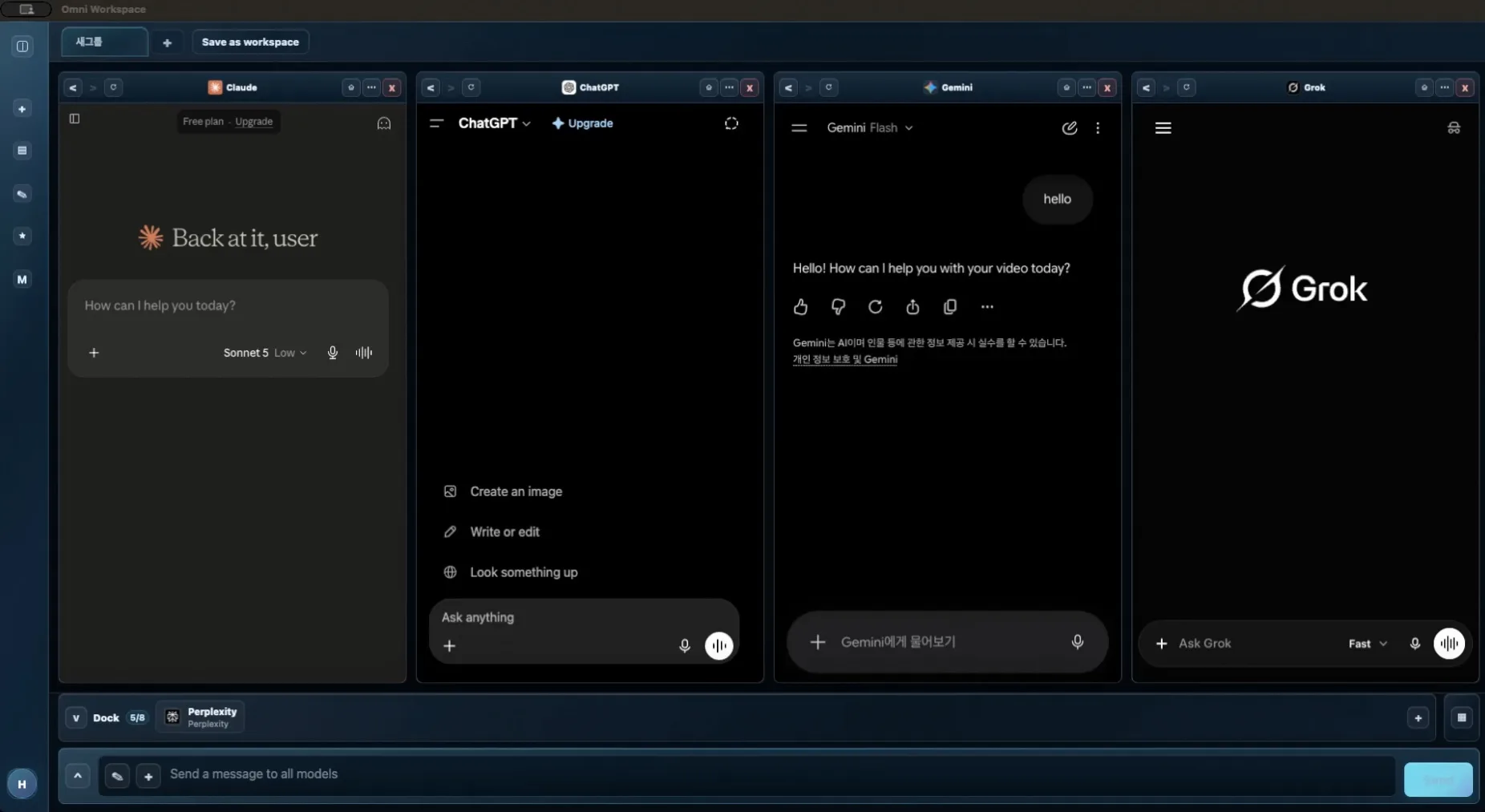
Feature overview
Explore the core features and workflows of Omni AI Workspace.
Feature preview
Broadcast
Send one prompt from the central input to multiple AI panels at the same time.
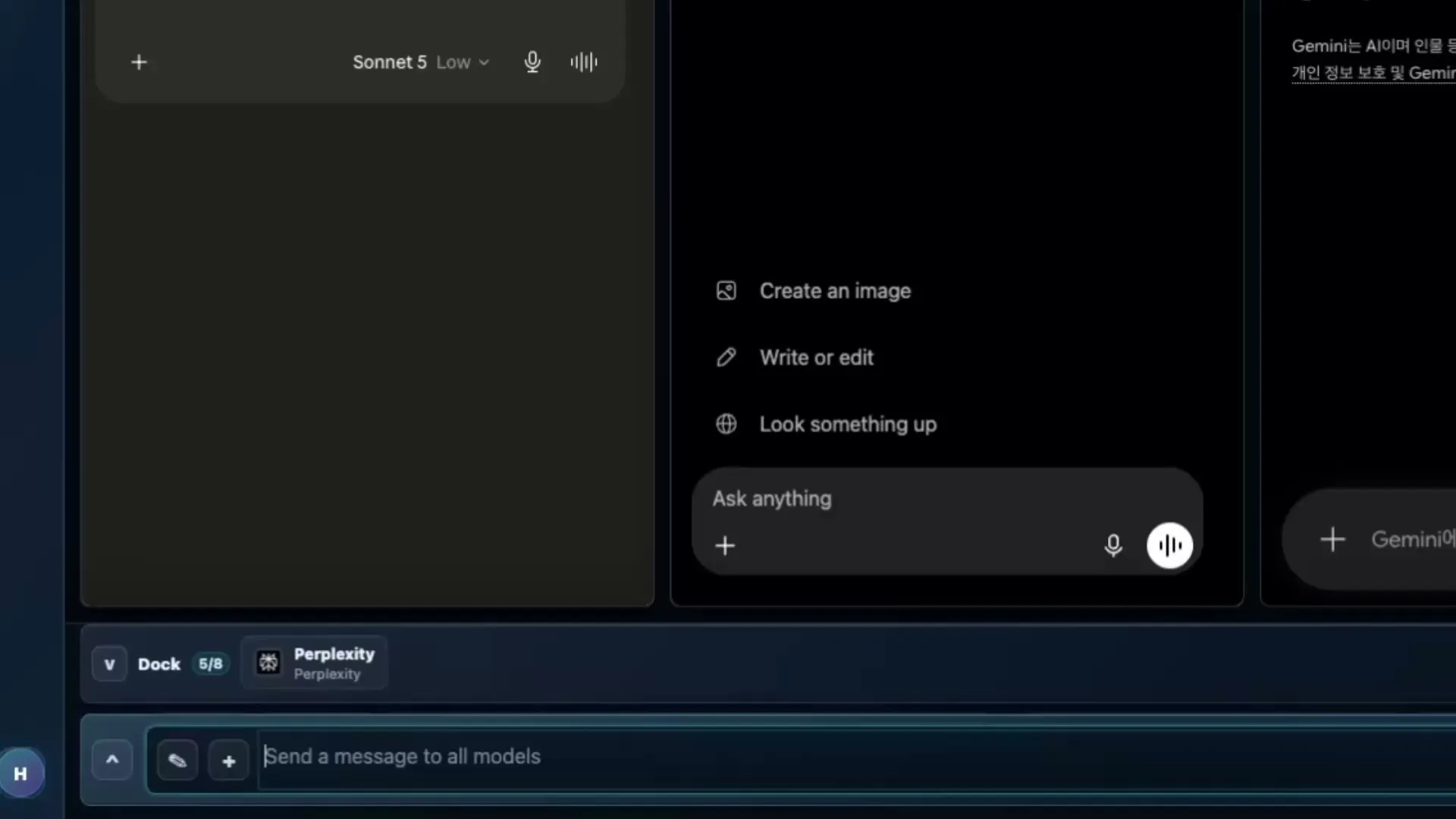
Core features
Four core features
CORE 01
Broadcast
One question, every AI's answer
- Choose any combination of ChatGPT, Claude, Gemini, Grok, and Perplexity, then write your question once.
- Send it to every selected AI panel at the same time and compare responses side by side as they arrive.
- See each AI's strengths and answer style without copying, pasting, or switching tabs.
CORE 02
Workspaces
Save your working context
- Save your open panel layout, the AI service in each panel, and the context of ongoing conversations together.
- Switch projects or restart your computer, then reopen a workspace and pick up where you left off.
- Keep a separate workspace for each project and switch between them whenever you need.
CORE 03
Webslots
You can open normal web pages inside the same workspace, alongside AI services.
- Keep search, docs, reference material, and work pages next to your AI panels.
- Preserve context by keeping the browser and the AI workspace together.
- No more tab switching — keep what you need open right next to your AI panels.
CORE 04
Prompt library
Never write the same prompt twice
- Organize recurring instructions for code reviews, email tone edits, meeting summaries, and more into folders.
- Load the prompt you need with one click instead of retyping it or searching for a saved copy.
- Start right away with 30 ready-to-use agency-agents prompts included.
Supported services
Supported services
Keep using the accounts you already have and compare all of these side by side.
Pricing
No sign-up required — just pick Free or Pro and get started.
Free
Start with the core features
$0
Use the basic Omni AI Workspace flow for free.
- Basic AI slots
- Basic Broadcast
Pro
Expand your workspace and productivity tools
$2.99 monthly · $24.99 annually
Unlock workspaces, prompt tools, notes, bookmarks, and webslots.
- Workspaces
- Prompt library
- Notes
- Bookmarks
- Webslots
Download
Available on Windows, macOS, iOS, iPadOS, and Android. Pick the device you are on.
Windows Download
Download the Windows installer right away.
View download optionsmacOS Download
The macOS installer is available to download.
View download optionsiOS Download
Get the iPhone and iPad app from the App Store.
View download optionsAndroid Download
Get the Android app from Google Play.
View download optionsRelease Notes
See new features and improvements for Omni AI Workspace.
v1.0
First mobile release2026-09-04
iOS · iPadOS · Android
- The first mobile release. Get it on the App Store for iPhone and iPad, or on Google Play for Android.
- Run several AI services side by side. Panels on screen sit on the Stage, panels you set aside sit in the Dock, and a long press drags one between them.
- Type a question once and it goes to every AI you have open. You can attach files to it too.
- Workspaces, notes, bookmarks, the prompt library, and web slots all work on mobile.
View details
- Sign in and everything you saved on the desktop is already there. Pro follows your account as well.
- A tutorial opens the first time you launch the app, and you can replay it any time from Settings.
- iPads, tablets, and foldables split into more panels as the screen gets wider.
- Sign in with Google, Apple, or an email address. Available in Korean and English.
v1.0.52026-09-01
macOS (App Store)
- The first build published on the Mac App Store, where updates are applied automatically.
- Signing in with Apple now opens the native macOS dialog, so you no longer type your Apple ID by hand.
- You can now sign up and sign in with an email address and password.
- Both apply to the Mac App Store build. The version downloaded from this site is still v1.0.3.
v1.0.32026-08-27
macOS · Windows
- Fixed sending a multi-line or long message to the Claude panel failing silently.
- Fixed a web panel rendering only its top strip when the bookmark bar was on with no bookmarks saved.
- Fixed account deletion being blocked for accounts that subscribed through an app store.
View details
- Settings now shows the version and distribution channel at the bottom left. Quoting it in a support request makes diagnosis much faster.
- A dot now lights up on the account row when an update is available, the same way notices do.
- Now also on the Microsoft Store, where updates are applied automatically.
v1.0.22026-08-26
macOS (App Store)
- Fixed Pro not being applied right after purchase in the Mac App Store build. This did not affect the version downloaded from our site.
v1.0.12026-08-25
macOS · Windows
- The app is now called Omni AI Workspace everywhere. Your sign-in, notes, bookmarks, and workspaces are kept as they are.
v1.0.02026-08-25
macOS
- Code signing and notarization — Run the app immediately without Terminal commands.
- Automatic updates — The app notifies you when a new version is available, and you choose when to restart.
- Announcements — Check announcements in Settings.
- Improved account deletion guidance — Deleting your account does not cancel App Store or Play subscriptions. We added buttons that direct you to cancel in the store.
v0.9.12026-07-23
macOS
- Fixed a startup failure (related to OMNI_ENV) when launching the packaged app.
Windows
- First Windows release.
- Includes Broadcast, workspaces, the prompt library, and web slots.
- Supports Google sign-in and Polar subscriptions.
- Available in Korean and English.
v0.9.02026-07-22
macOS (Apple Silicon / Intel, unsigned dmg)
- First release.
- Includes Broadcast, workspaces, the prompt library, and web slots.
- Supports Google sign-in and Polar subscriptions.
- Available in Korean and English.
Windows
- Coming soon
Frequently asked questions
It depends on the question. Claude often comes out ahead on code, Gemini on pulling current information together, ChatGPT on polishing writing — and some days it goes the other way. Rather than ranking them by benchmark scores, it is faster to throw your own real work at all three. Omni AI Workspace exists to make that comparison happen on one screen.
Yes. Type the prompt once in the central input and it goes to every AI panel you have open. You do not have to hop between tabs pasting the same sentence, and the answers land side by side so you can compare them right away.
A tab shows one thing at a time. To compare answers you move between tabs and hold what you just read in your head, and you paste the prompt once per service. Omni AI Workspace puts up to eight panels side by side on one screen and takes the prompt once. A layout you use often can be saved as a workspace and reopened later.
It is an app that puts several AI services side by side as panels instead of tabs. A regular browser is built to show one web page large; an AI browser is built to run several conversations at once. Omni AI Workspace opens the web interfaces of ChatGPT, Claude, Gemini, Grok and Perplexity as panels.
One is fine. But AI states wrong things confidently, so the more an answer matters, the harder it is to trust a single source. When all three agree you can lean on the answer; when they split, that split is exactly what you need to check. You also do not need several paid subscriptions — free accounts are enough to compare.
No. Omni AI Workspace does not require separate AI API keys or usage-based API fees. You use each AI service by signing in with its web account. A separate subscription from the service provider may be required to access its paid features.
Not necessarily. You can use the free plans offered by each AI service. Certain models, advanced features, or higher usage limits may require a paid subscription from that service. Those subscriptions are separate from Omni AI Workspace Pro.
Omni AI Workspace currently supports ChatGPT, Claude, Gemini, Grok, and Perplexity. Each service runs through its web experience inside Omni AI Workspace, so available features and interface details may change when a provider updates its service.
Omni AI Workspace does not collect or store the conversations you have with AI services on RRL LAB servers. Conversations are handled within each provider’s web environment. However, account information and app data required for sign-in, subscription management, and synchronization—such as workspaces, notes, favorites, and prompts—may be processed separately. See our Privacy Policy for details.
Free includes up to two AI slots and Broadcast. Pro includes up to eight slots, a four-panel layout, saved workspaces, web slots, notes, the prompt library, and favorites. See the pricing section for a detailed comparison.
Yes. You can cancel your subscription at any time and continue using Pro until the end of the period you have already paid for. Your account will then return to Free automatically. See our Refund Policy for additional details.
Yes. Sign in with the same account on any supported platform to access your subscription status and supported app data, desktop and mobile together. You may still need to sign in to each AI service separately on each device.
Windows, macOS, Android, iOS, and iPadOS are all supported. Windows is available as an installer from this site and on the Microsoft Store, macOS as an installer and on the Mac App Store, iOS and iPadOS on the App Store, and Android on Google Play. Every download link is collected in the download section.
First, refresh the panel and check whether you are still signed in to the AI service. If the issue continues, update Omni AI Workspace to the latest version and restart the app. Provider website changes or temporary service outages may also affect functionality. If the problem remains, contact us with the affected service and a description of the issue.
For product, billing, or technical support, email us at contact@rrllab.com. Including your operating system, app version, affected AI service, and a short description of the issue will help us assist you more quickly.
Still have questions?
Contact us about product usage, billing, or technical issues.